Showing posts with label Support. Show all posts

Friday, 5 June 2020

Friday Focus: Creating a VLE to Support your Staff

This week's Friday Focus explored how to create a VLE to support and develop your staff, it also gave great insights into how VLE and adult learning work, so if you missed it, take a look below. The notes for this session are available here.


Paul gave some great insights into how and why we should use a VLE system, but here are some bonus tips to help you even further!
1) Think multimedia
A key issue you may find with a VLE is engagement from those using the courses, so use multimedia options like sound and video to help keep those training involved.
2) Testing
Get someone else to test out your modules. A third party is always a great insight to make sure your message is being delivered. Try find someone who has minimal knowledge on the chosen subject, then this will give a good impression of how those using the product will find it.
3) Consider your Audience
Keep your audience in mind when writing the content, make sure examples or references you make are relevant and understandable to those using your service.

This may be less tips than usual but Paul gave so many insights in the actual stream that we don't want to repeat things! Next week we will be doing a summary stream of questions so far, a great opportunity if you have any questions!

Friday, 29 May 2020

Friday Focus: Getting Started with Video Editing

This Friday we looked at Getting Started with Video Editing, our notes for the session are available here and the session is included below.


Here are our additional tips to consider when you start editing videos.
1. Storyboard
Some people just like to get stuck straight in and make it work, but if you've made a storyboard at first, you have a plan of where you are going which will make your life easier wen trying to piece together your clips.
2. The Right Tools
Linking back to storyboarding, if you know what you want from your video make sure you have the right tool to edit. If you know you need to create a video with text then make sure your editing software does text! This will save you time later, rather than end up putting your files through multiple software and wasting time exporting over and over again!
3. Know Your Limits
Video editing is a skill that will take time to grow! You also need to consider your computer limits, a basic computer isn't going to handle multiple 4K video files with multiple layers! Just start simple and grow from there. For most businesses a simple video with text and transition will be all you need!
4. Understand Exporting
This can seem complicated but having a basic understanding of your exporting options will help you in the long run. A video file for YouTube need's to be different to one you'd use on a TV. Luckily there are great explanations online if you want to know what settings you'd need for your purpose.
5. Experiment
So slight contradiction of the first point but have a play and an experiment! Video editing is a skill and takes time and practise to perfect. If you don't explore your software and try different techniques you'll never learn more! So experiment as you never know what you'll find.

Next week we will be looking at supporting staff with a VLE system! Something we help a lot of businesses sort so excited to share some knowledge with you. See you next week.

Friday, 15 May 2020

Friday Focus: Creating a Web Based App Without Code

This Friday we looked at creating a web based app using the program Glide. The useful perk of this platform is that requires no coding knowledge, just basic understanding of using a spreadsheet. You can read the notes for this session here and the catch up of the stream is below.

Now here are some of our top tips for using Glide to make an app for your business:
1. Utilise the templates. For some diving in head first may work, but if you want to have a play, Glide has some great pre built apps ready for you to populate.
2. Experiment. Unless you try you never know! Glide has a diverse rang of tools to use, you may end up using something you never thought of.
3. Test! Make sure you test as we go, although there is a lot less room for errors than coding a whole app, we all make mistakes. Luckily Glide does update in real time so if something does go wrong even when your app is live, it's quick fix.

We hope we will see you again next Friday where we will be looking at getting started with podcasts!

Friday, 1 May 2020

Friday Focus: Training and Supporting with Technology

This week's stream focused on ways we can support and train others whilst we work remotely. Although a necessary tool whilst we are in lockdown, this is a fantastic tool to know when working remotely. The notes for the session are here and the stream is included below!


In the stream we looked at using Chrome Remote Desktop as the tool we demonstrated, so this week's top tips will be for training and supporting others with technology as remotely we know it can be a difficult task!
1. Motivate. A key part of training is to motivate the person being trained, they need a reason as to why learning this new programme or whatever is useful for them. People do not want their time wasted and need justification of why this is a good use of their time.
2. Communicate. Despite demonstrating on someone's screen, they still need clear, concise communication as you would if training person. Likewise make sure the person you are showing, communicates back, the signs of someone being confused are harder to see virtually.
3. Understand Learning Styles. A live demonstration may not be the most useful tool for training for all your team. People learn in different ways so this may not be effective for everyone. If someone is struggling you could type them up bullet point instructions or send a screencast they can rewatch. Everyone is different.
4. Feedback. It is important to receive feedback to make sure the software you are trying to implement is suitable for your team. Without discussion you will be unable to either help train someone further to help fix the issue or having, or even realise maybe the software wasn't suitable. Whilst in lockdown having effective and suitable tools in place is key, and just because something works for you, does not mean it does for everyone else.
5. Group sessions. If possible, teach everyone as a group. This can sometimes aid questions other's wont think of at the time, as well as demonstrate who has a clearer understanding and can assist others when having issues. This could be done on software like Microsoft Teams, where during a group call the trainer can broadcast their screen.


Since lockdown many businesses have had to adapt quickly into using digital platforms to help their business, that doesn't mean your team can't become an expert in it and still use it after the lockdown.

Due to the bank holiday next week, our next stream is on the 15th May, and we shall be focusing on creating web based apps using Glide. If you cannot wait two week, we have previously done a similar talk which you can view here. See you in two weeks!

Friday, 24 April 2020

Friday Focus: Effective Digital Communication

Another Friday and another Friday Focus. This week we were focusing on Effective Digital Communication. If you didn't manage to watch our stream you can watch it below and here are the notes for this session.


As we used Discord as an example platform this week, our top tips are going to be focused around that. It's a really useful tool that is being utilised by work places and digital communities a like so a tool worth an explore. Here are our top tips for using Discord:

1) Active your Keybinds. We are all familar with keyboard shortcuts like CTRL+C for copy, but some tools, including Discord, allow you to set your own shortcuts. This can be used for really useful tools, such as a push to mute/talk key when in voice chat to quickly mute your mike in a chat.
2) In app audio settings. We aren't all blessed with a quality microphone, fortunately Discord has some tools that can improve your sound! The only negative is that you cannot hear your sound yourself so it'll be a team effort to get your sound right but a really great setting from the app.
3) Using the pager. This obviously is inspired by the now outdated pager, and as you'd expect it allows you send direct notifications to those in a chat or even to a direct user. Great for when you need to send out an important update or need a response.
4) Use typographical emphasis. Sometimes a word just needs to be bold to really drive home a point. Fortunately you can! Discord allows for bold, italics, underlined and strike through formatting of your text. You simply put * * around what you want to be bold and it's done. You can find a full list of options on the support page.
5) Control your notifications. Discord is used by so many communities and if you are in multiple servers, the notifications and become overwhelming. Particularly in larger groups, that can be a lot of messages! Fortunately you are able to mute servers so you aren't drowning in them every time you log in! Also great if you want to turn off notifications of a work chat when not working to be able to relax.

Will you be looking at Discord for your business? What other tools are you considering from our stream? We will see you next Friday for our Friday Focus which is going to explore Supporting and Training Others with Technology and specifically using Chrome Remote Desktop. See you Friday!

Friday, 3 April 2020

Friday Focus: Using Trello to Keep Your Team on Track

This week's Friday Focus saw us looking at how Trello can be used to help keep yourself or your team on track and goal driven. Think of it as the virtual equivalent of sticking to do post its too your screen, just more efficient and less waste! If you missed our stream you can view it at www.digitalucs.co.uk/live (as well as our other Friday Focus streams) but it is also embed below:


 You can find the accompanying notes here.

So now that you're up to date, here our are top tips to utilise Trello:

  1. Keep it simple. If you over complicate a board, it isn't going to quick to see what you need to do. This is key for both an individual board or a group board. If it's not kept clear and simple, a Trello board can quickly become an overwhelming nightmare! Better to have multiple boards than cram too much into one.
  2. Use comments. If multiple members of a team are using a board to complete tasks together, make sure you use the comments option. This will save time having to chase up why something has changed or why something has been done in a certain way. It allows for that quick conversation you would have in the office which doesn't seem worth an email! It's also a great way as an individual to keep a report of when you are doing specific tasks.
  3. Learn the keyboard shortcuts. Trello has numerous ways to make your experience as productive as possible, one thing people miss out on is using keyboard shortcuts. We will let you explore these on your own time as there are a lot but one definitely worth noting is pressing "q" will filter the cards to show just what is assigned to the logged in individual! So much easier to focus on your own task than a sea of cards for everyone.
  4. Keep it updated. We all know how annoying it can be when you're in a good work flow and someone pesters you for a task you know you've done, but did you mark it as complete on Trello? It's not just about keeping track of yourself, by updating the board, other's will know where you are up to and the time used emailing can then be used productively.
  5. Turn emails into cards. Every Trello board has an email address allowing the user to forward an email to the board rather than copying and pasting the same information. Likewise each card has an email too, forward an email to that and it becomes a comment on the card (perfect for tip 2!). This can be a great time saver.

Trello is a great tool, making sure you work smarter, not harder. However it is as only as good as you make it, we all have our own practises when using Trello and now you'll be well on your way to maximise your productivity using it!

Our next stream will be 17th April (not the 10th as it is Easter Friday) and we will be exploring working collaboratively on documents using Google Drive. See you then! 

Friday, 13 March 2020

Useful Business Information Covid-19

As a project supporting businesses, it is crucial we pay attention to the developing situations facing businesses and currently a large concern for businesses in COVID-19. We thought it would be useful to provide some links from official sources to gain information. As this is an ever developing situation, we recommend businesses check for updates on a regular basis on .GOV.UK but here are some useful links below:

Update (24/03/2020): New guidance in regards to the lock down in the UK

Further Information:

Friday, 6 March 2020

South Shropshire Chamber - Paul Andrews "Creating Apps With No Code"

Shropshire Chamber recently relaunched themselves in South Shropshire, starting with a networking breakfast at the Shropshire Hills Discovery Centre. Digital Solutions were fortunate enough to be invited to talk at the event. This is Paul Andrews, our Lead Research Fellow, delivering a talk on "Creating Apps Without Code" utilising Glide. Paul creates a basic app for a randomly selected business live in the room to demonstrate the ease and capabilities of Glide. Watch the talk below and if you are interested in the notes to follow along head to our website.

Friday, 15 November 2019

Let's Do Business In....


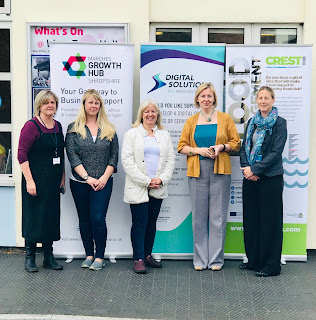
Let's Do Business In Team with two visitors to the event at Wem Library

Did you know that the Growth Hub, Shropshire and the University Centre Shrewsbury (UCS) are on tour across Shropshire?  Why not come along to one of the libraries near you and have a chat about your business – no matter what stage you’re at.


Want to find out about funding opportunities, training courses and which projects may be able to support you?  There will also be representatives there from the Digital Solutions project, CREST project and Building Skills & Growth Capacity Project – all located at UCS.
After talking to businesses, it became very clear that you wanted more access to this type of information and you wanted access to everything in one place.  We listened, and that is what we’ve done!  With the continued support from Shropshire Libraries and especially, their Library Development Manager, Mirka Duxberry, they have given us access to their libraries so we can come out to you as opposed to you having to travel to us!  Outreach is a priority.
We wanted to give you an overview of what will be on offer so if you’re available, please do pop along, have an informal chat with some tea and cake and find out more about what kind of Business Support is out there.

Marches Growth Hub, Shropshire


The Marches Growth Hub is the gateway for business support provision in Shropshire.  It acts as a “one stop shop” for all businesses, offering access to all types of business support; for start-ups, early stage and growth.
Whether you are a start-up or growing business, we are here to help you navigate the business support maze, signposting to relevant advice, information, and access to finance – to find the package of support that is right for your business.
Are you ready to start talking business over coffee and cake?  Come and meet Emma Chapman / Anna Sadler on tour with the Marches Growth Hub.  “We will be offering face to face advice on business grants, loans and support available for Shropshire businesses regardless of size or sector, from pre-start to established businesses.”

Have you signed up to register for our e-newsletters? www.shropshire.gov.uk/subscribe


Marches Growth Hub Logo

Digital Solutions Project

The Let’s Do Business events being held at Shropshire Libraries have been a great success to not only promote our Digital Solutions project but more importantly, for supporting local businesses.

Business Development Managers, Nikki Ayton and Sarah Bennett said, “We can support businesses to innovate using digital technology within their business processes or to develop new products and services.  Although we can offer support to every sector, there is a particular emphasis on digital health. We are also promoting our “Digital Innovation Networking Group” (DING) event held at the University Centre on 12th February.
The libraries are a great venue to meet local businesses looking for funded support (which is free to the business) and we are very excited about the opportunity of working more closely with them to provide access to our ERDF funded Digital Solutions project.  Eligible businesses based in Shropshire and Telford & Wrekin can benefit from these collaborations.  We’re looking forward to the next one!”

Here are a few extracts from some of our feedback:
  • Not only have I been incredibly grateful for your support but I have been evangelical about your team when dealing with other businesses across Shropshire as I believe that you and your team are a valuable resource and could help many other businesses.  Thank you for everything you have done.
  •  A Business Development Manager with empathy, enthusiasm and a deep understanding for my needs as client.
  • Client service is second to none!
  • Highly recommendable!
  • Invaluable support during the various stages of my digital business support.  Quick and energetic responses combined with profound knowledge and expertise in all things digital has made me feel at ease on making an apparent business critical decisions

Digital Solutions LogoEuropean Regional Development Fund ERDF Logo

CREST

The Centre for Research into Environmental Science and Technology (CREST@UCS) is a £1.2M European Regional Development Fund (ERDF) project offering support to SMEs and start-ups. This is done by addressing their productivity challenges and looking at ways to increase their competitivity. Our multi-disciplinary team of experts works closely with SMEs to design, develop and bring new products and services to market; develop processes to save time and/or money; understand markets (e.g. market research, introduction to buyers and suppliers, exploring new markets) and develop successful business models.

What we Offer:
  • Business innovation support, including developing ideas for market readiness and developing new products/services that benefit the environment and reduce waste
  • Support with funding applications
  • Speciality laboratory research, focusing on water, soil and anaerobic digestion
  • Mapping, remote sensing and geospatial analysis
  • Waste and resource assessments
  • Support for companies wanting to reduce their environmental impac

Crest and European Regional Development Fund ERDF Logo


Building Skills & Growth Capacity Project

University Centre Shrewsbury (UCS) has received £235,000 in funding from the European Social Fund (ESF) and £156,000 in matching funds from the University of Chester to help Shropshire SMEs train and upskill their employees

The Project has been funded through European Social Fund (ESF) as a Priority 2.2 project improving the labour market relevance of education and training systems until September 2020.  The project will focus on supporting the growth of SMEs and Micro businesses in Shropshire, Telford & Wrekin through ensuring that they can identify and access the skills development options that align with and unlock their growth.
The project will offer flexible support options that can react to business need, acknowledging that SMEs and micro businesses require different solutions, and that smaller businesses need support to understand complexities and changes within the skills environment.

The project will focus on delivering an in-depth training needs analysis to SME’s to identify skills requirement for both now and in the future. This could be in the form of short bespoke courses,  Higher level apprenticeships or HE student placements, If lower level skills and apprenticeships are identified the University will act as a brokerage service to other colleges and training providers.

Building Skills & Growth Capacity LogoEuropean Social Fund ESF Logo


The next Let's Do Business In... is happening on the 5th December at Ellesmere Library.


Thursday, 31 October 2019

Introduction


Welcome to the blog for Digital Solutions, based at University Centre Shrewsbury. A little about us? We are an ERDF funding project, providing digital innovation and support to B2B SMEs located in the Shropshire and Telford & Wrekin area. Utilising our own expertise, reaching out to the wider university and being supported by Marches Local Enterprise Partnership's Growth Plans, we support SMEs in their digital development.

So what can you expect from this blog? Here we want to be a blog for all the project supports, ranging from technology news, insights and tips for businesses as well as overviews of some of the companies we have assisted and how. If you are looking for how we can help you or just interested in technology developments then this is the right place to be!